

Postman Acquiring
To gain a comprehensive understanding of our API’s functionality and expedite your integration process, kindly download our Postman collection. Upon successful download, your account/project manager will provide you with the necessary credentials to access and utilize the collection.
- API Key + Secret ( + Base URL).
Download Postman
You can download and install Postman on all operating systems from Here.
Download collection
To start using the API, download the Paynetics Postman collection. Click here to download the latest Acquiring.postman_collection.json file.
Once downloaded, import it in Postman via File → Import and pick the JSON file.
Import Collection
First things first. You need to import the collection into your Postman App.
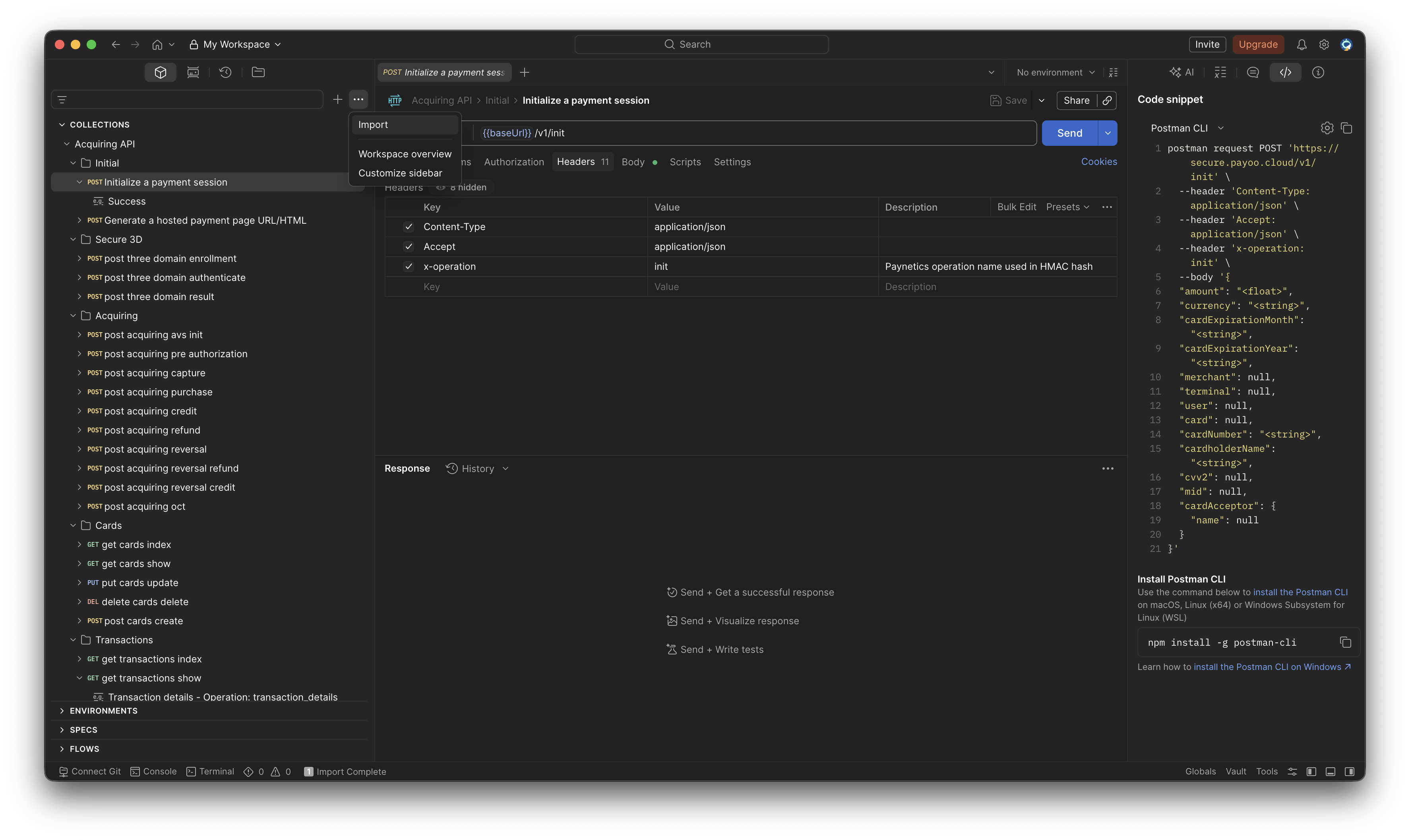
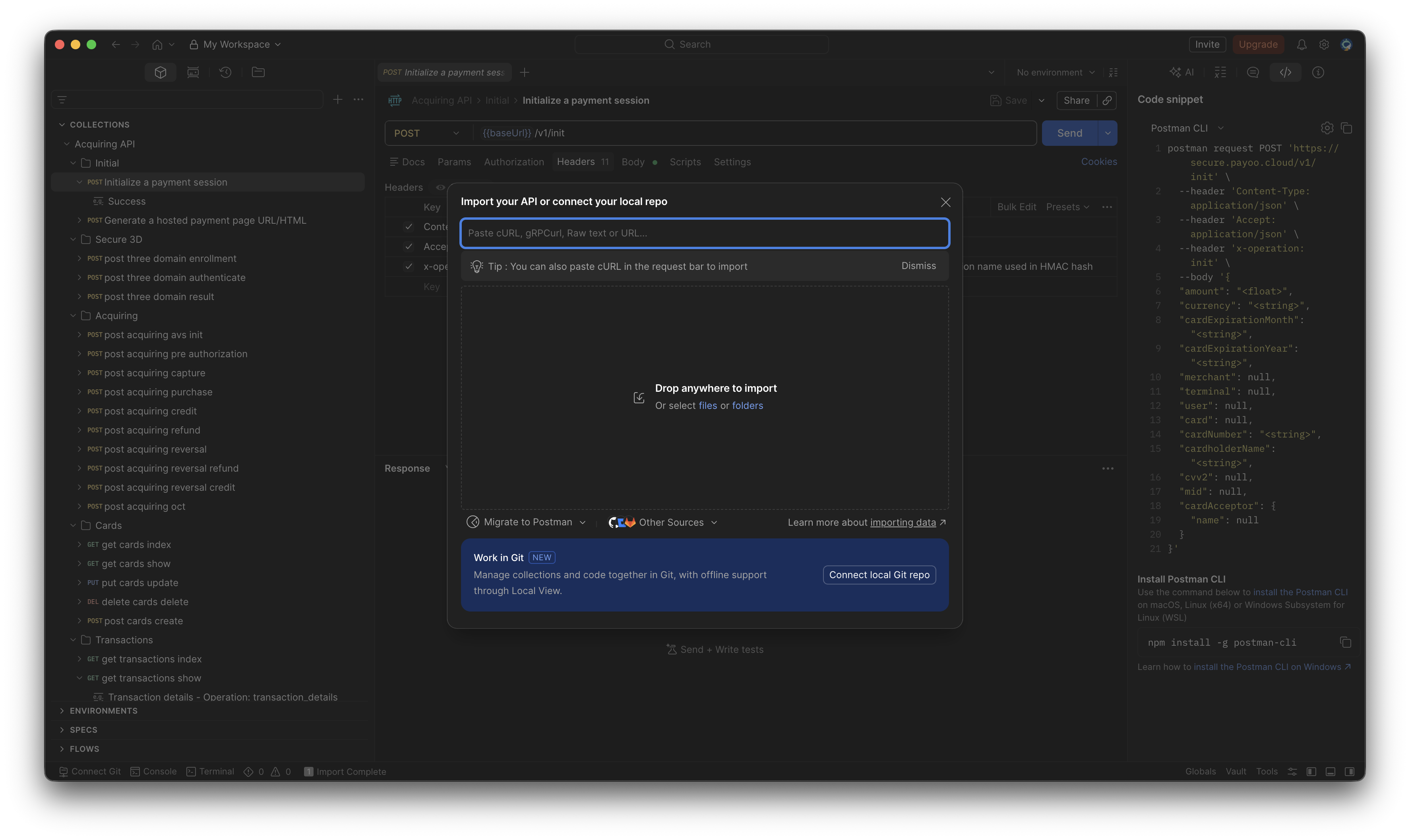
In top left corner there is import button which will open modal where you can add the file downloaded in step 2.
Please see below the provided examples one and two :
Example one
Example two
Configuration
After successfully importing the collection you need to make simple configuration.
Click on the collection variable section where you will find API_KEY and API_SECRET variables.
Please enter the credentials provided to you by your account/project manager.
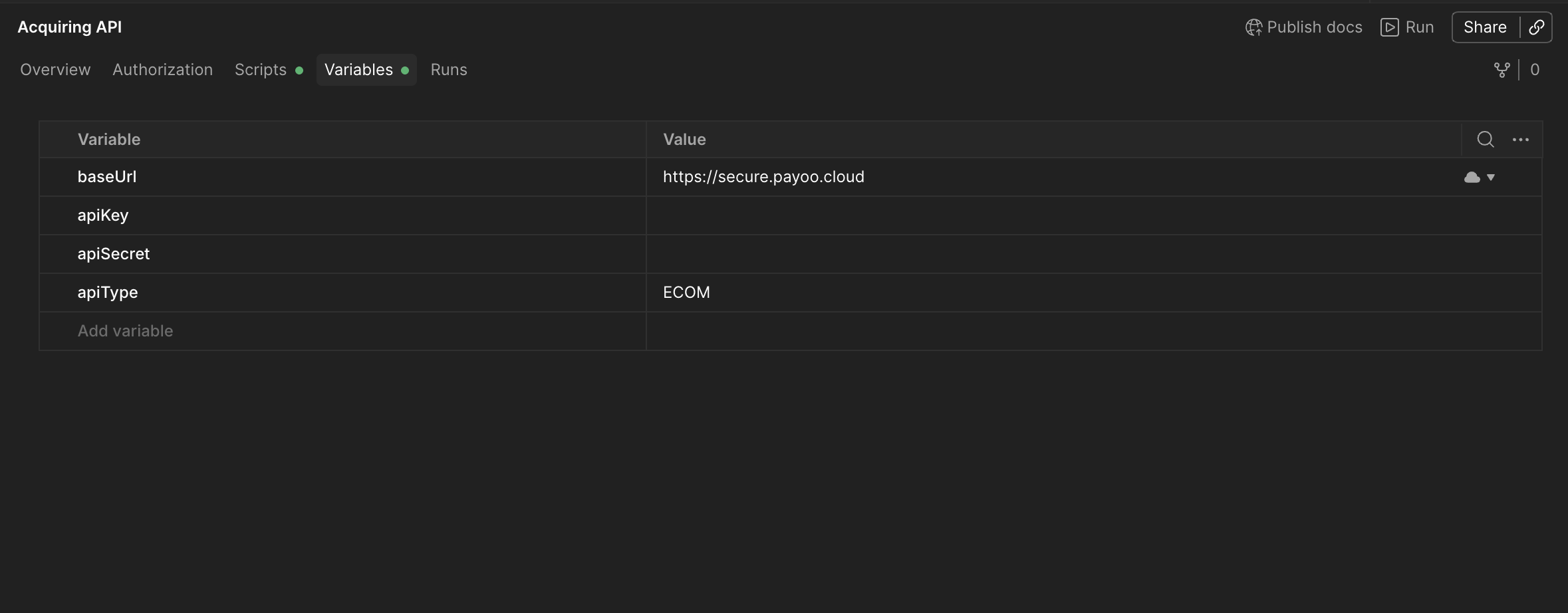
! BE AWARE THAT BOTH INITIAL AND CURRENT VALUE FIELDS MUST BE FILED !